
Safina: The Kubernetes TUI
for teams that ship.
Safina is fast, keyboard-driven and written for terminal hackers. It’s a single Go binary on lazy client-go informers, with session history in SQLite and an MCP server for your agent.
Deep dive
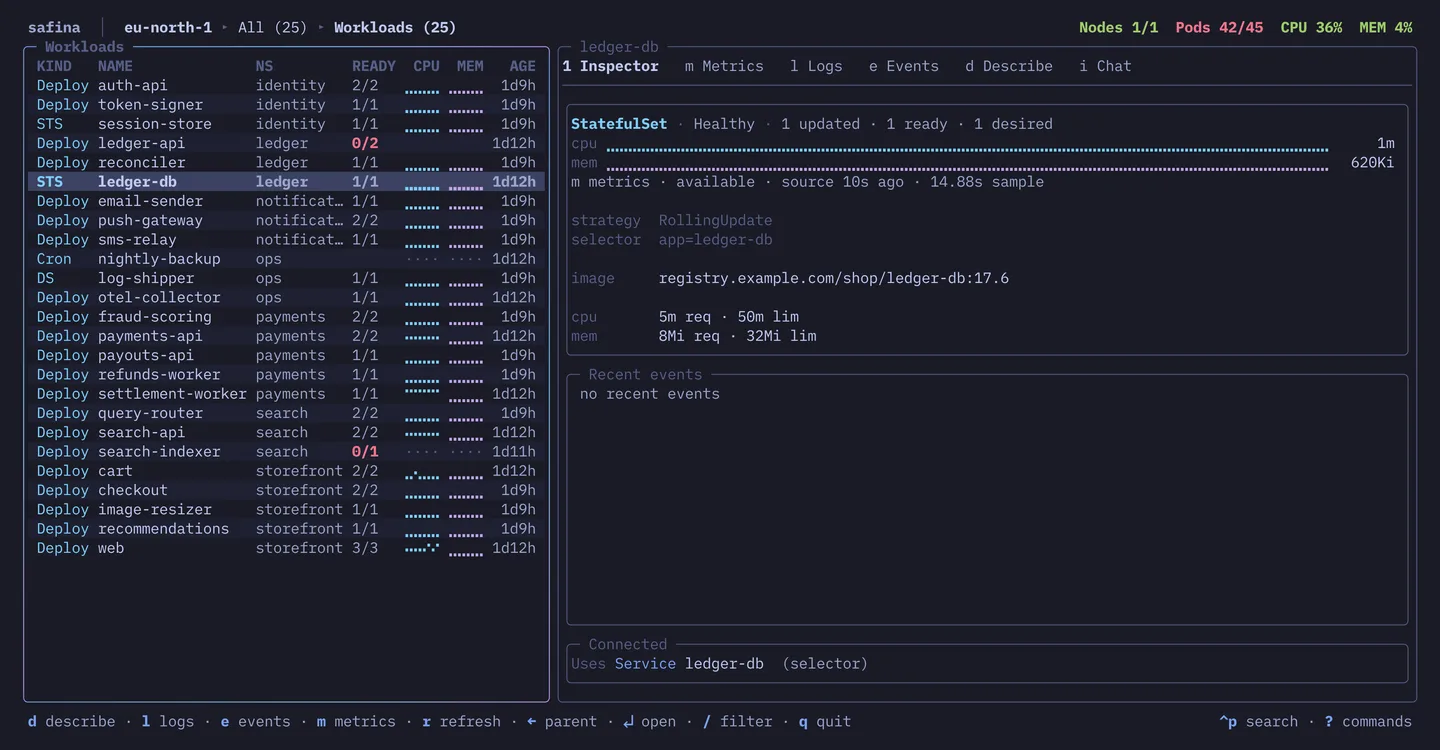
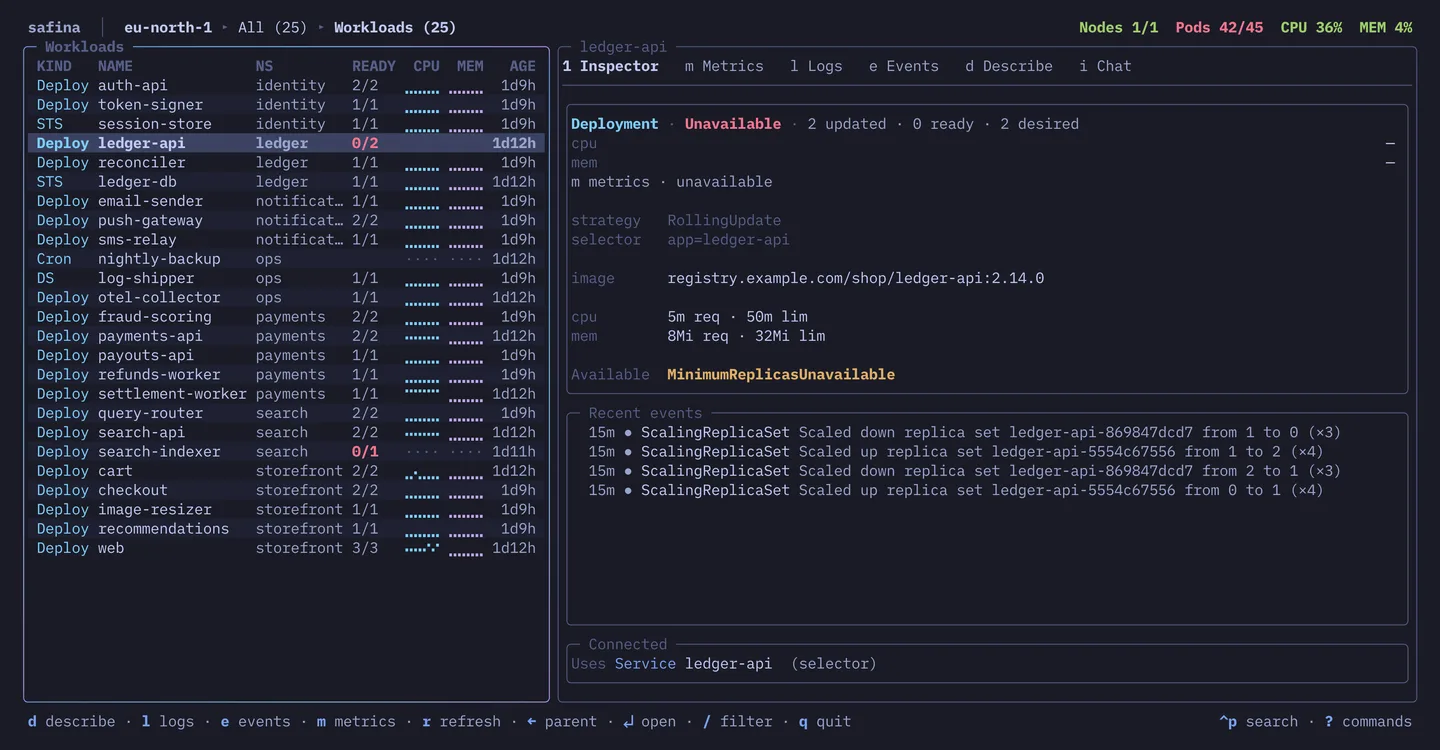
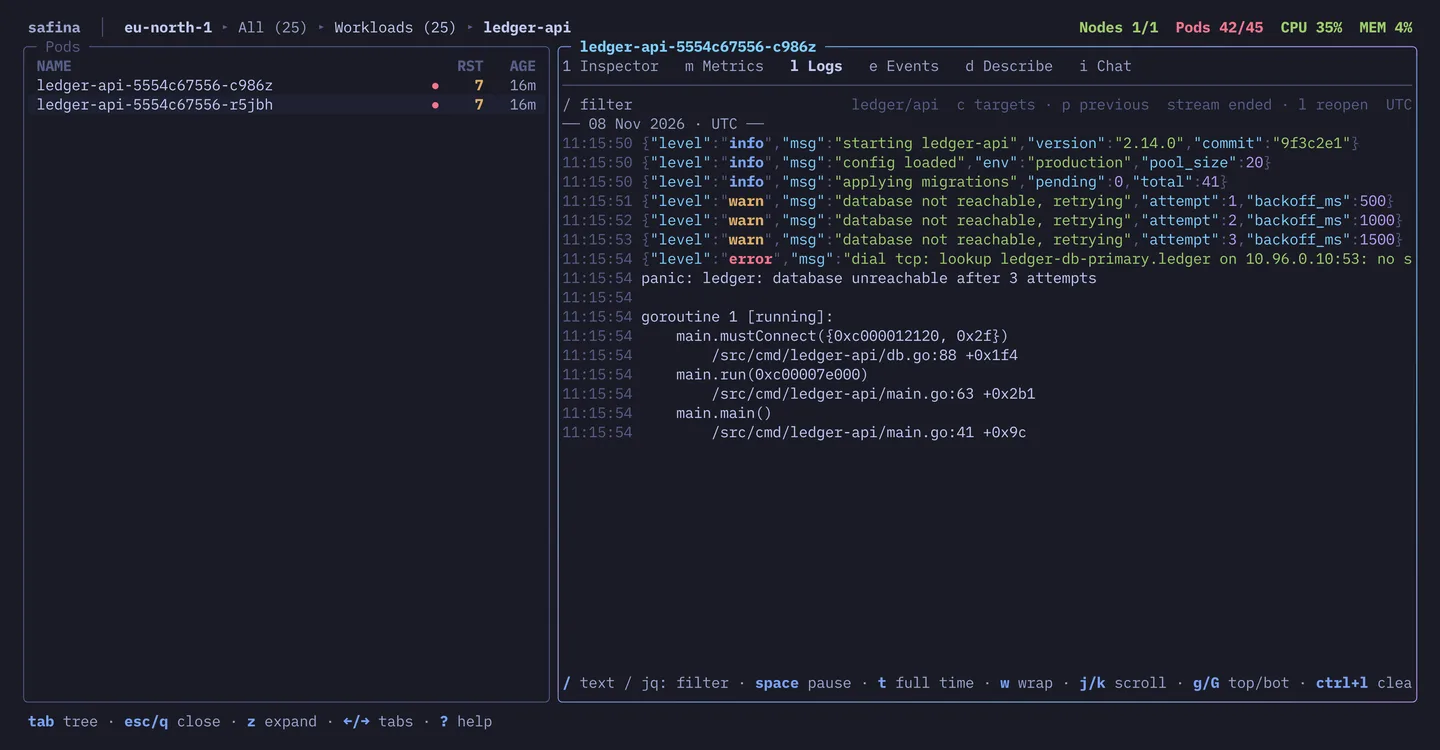
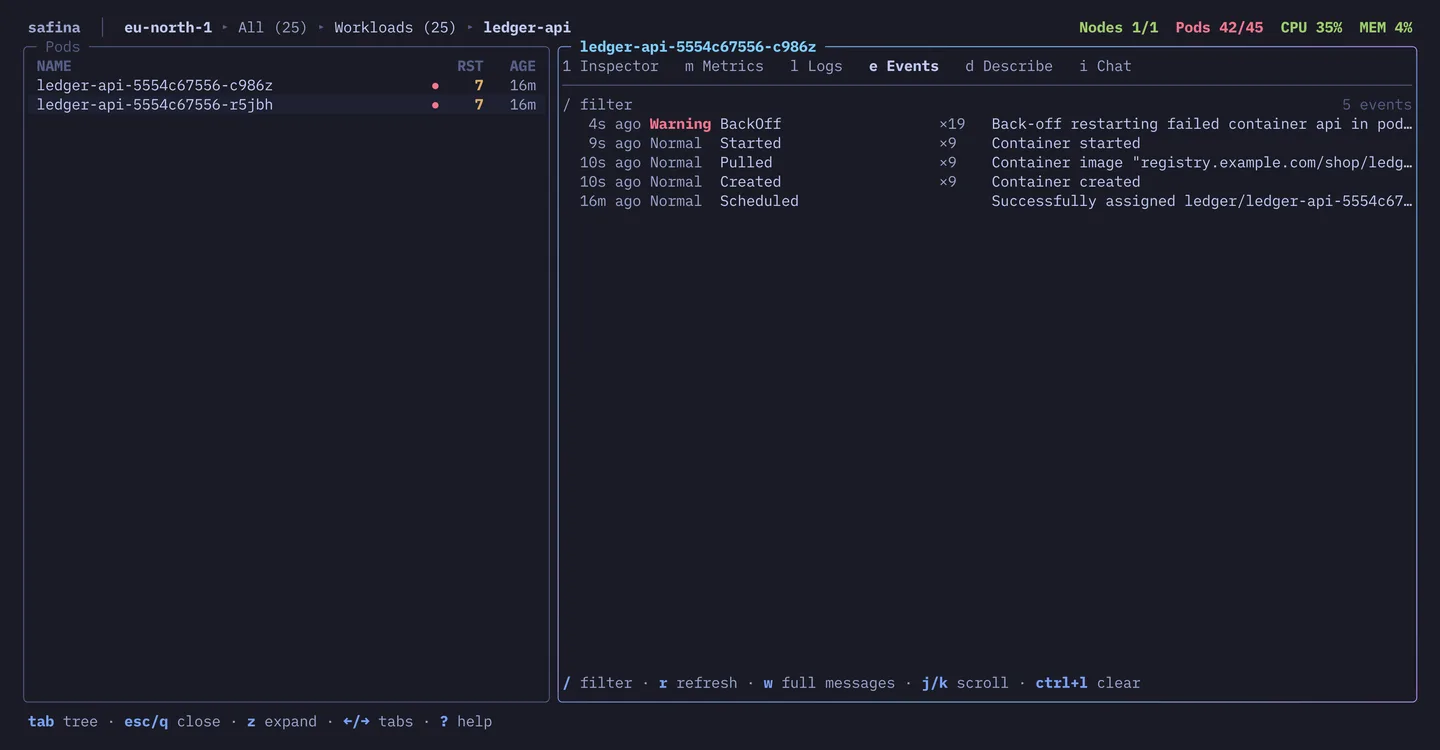
Chat
It already knows what you’re looking at.
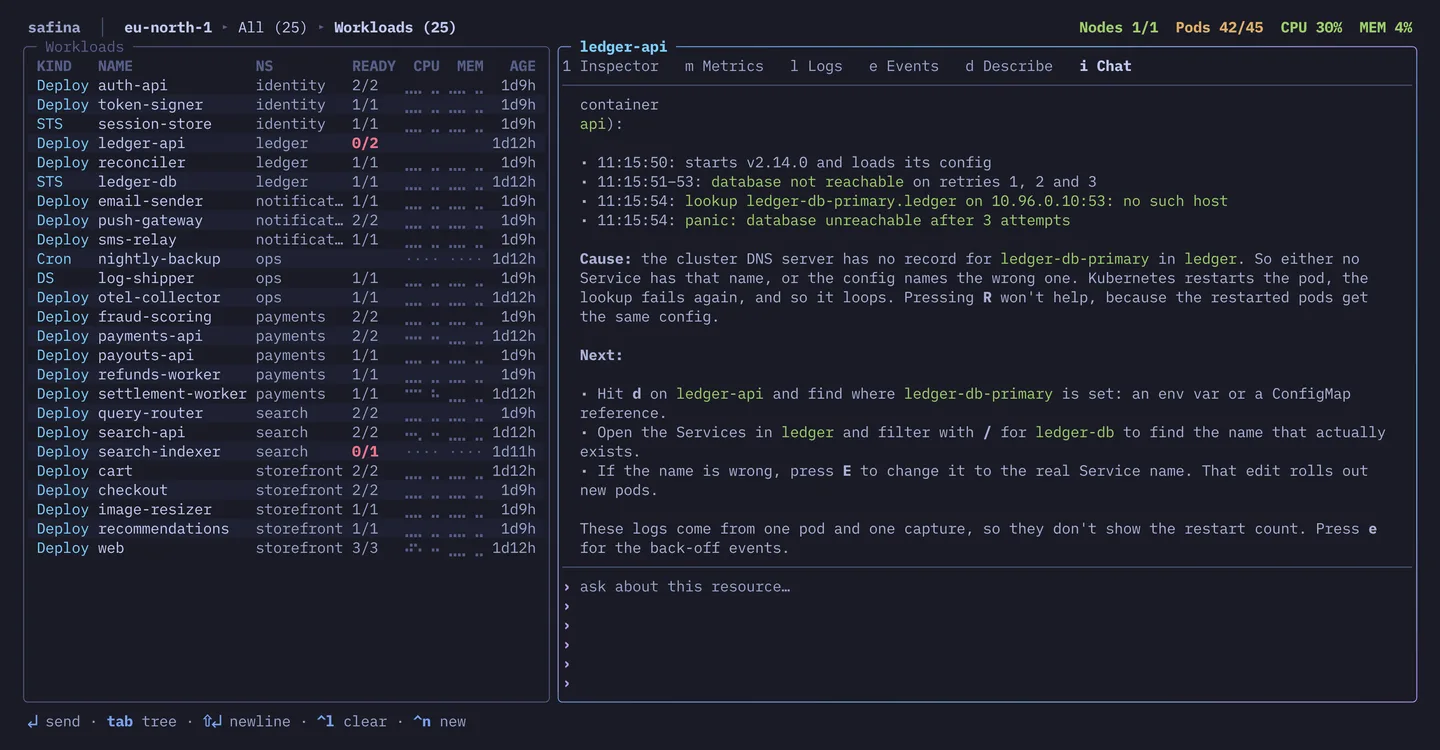
Press i and ask what’s wrong. The model gets the cluster, namespace and resource you’re on and, from the Logbook, what you’ve already tried there, so you don’t paste stack traces into a browser tab. Open a logs entry in the Logbook and c hands it the lines you read.
It answers with keys to press, like e for events or U to roll back, and it can’t press them itself. The cluster stays your amanah, your trust and your call.
Barbarossa mode
Lowercase reads. Uppercase writes.
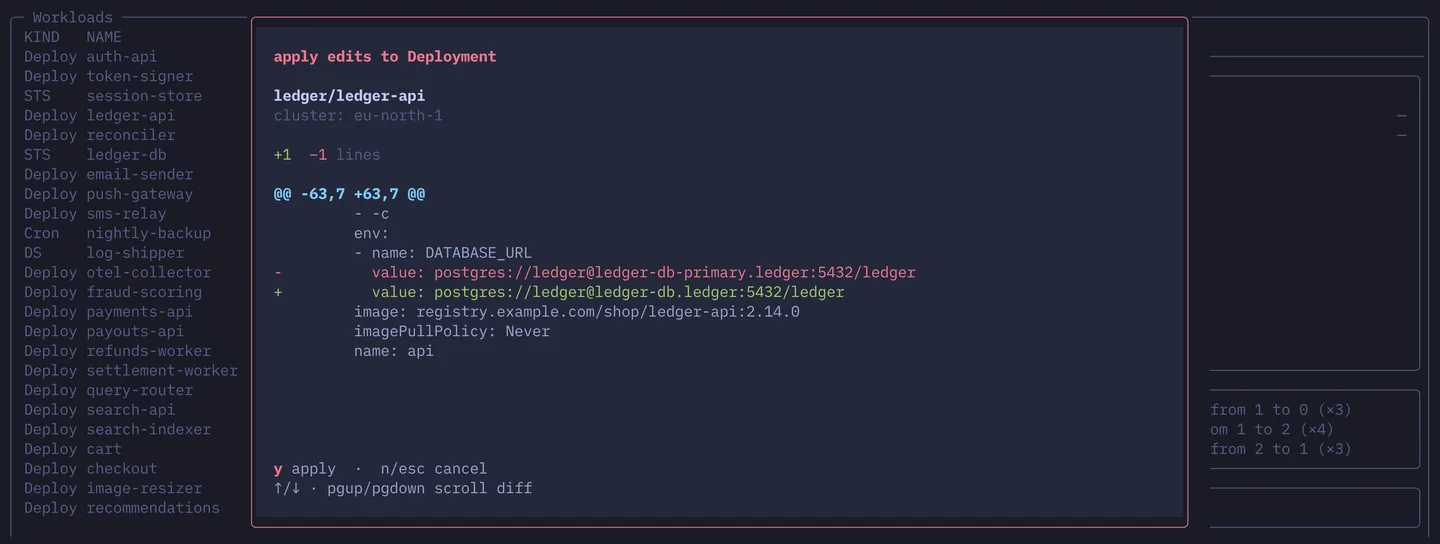
A slipped finger can only ever read. The keys that write are Barbarossa mode, named for the red-bearded Ottoman admiral. They all need Shift, and they’re red, like every confirmation. Scaling asks how many, an edit shows you the diff before it’s applied, and everything else asks for a yes.
Then Rollout watch takes over. A scale, restart or edit isn’t done just because the API accepted it, so safina follows it until the pods are ready. If they still aren’t after five minutes, it tells you.
No autopilot means safina never picks a cluster for you, not even yesterday’s.
Read
- d
- Describe
- l
- Logs
- e
- Events
- s
- Shell
- f
- Port-forward
- v
- Reveal secret
- y
- Copy
- n
- Next failing
- h
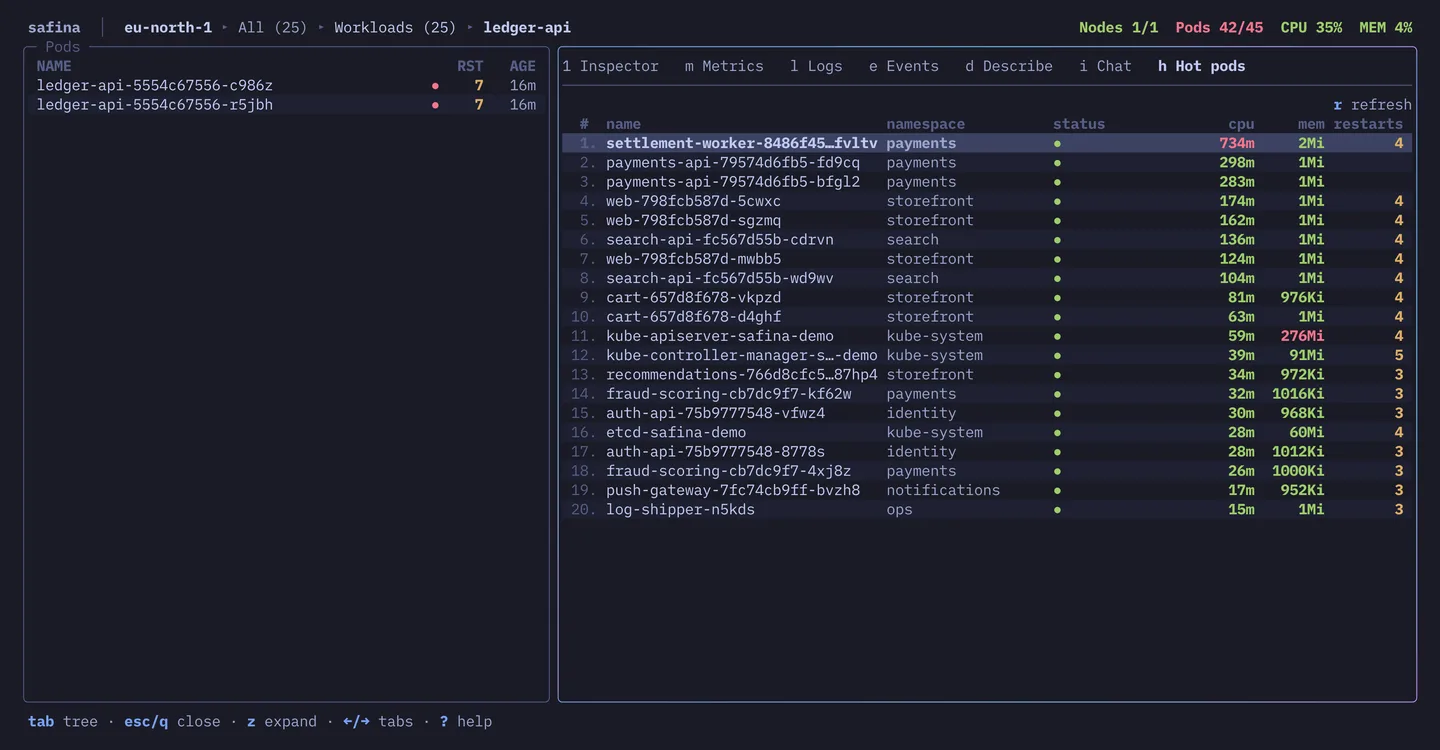
- Hot pods
Write, in Barbarossa mode
- Shift S
- Scale
- Shift U
- Roll back
- Shift R
- Restart
- Shift E
- Edit YAML
- Shift C
- Cordon
- Shift D
- Drain
- Shift K
- Delete
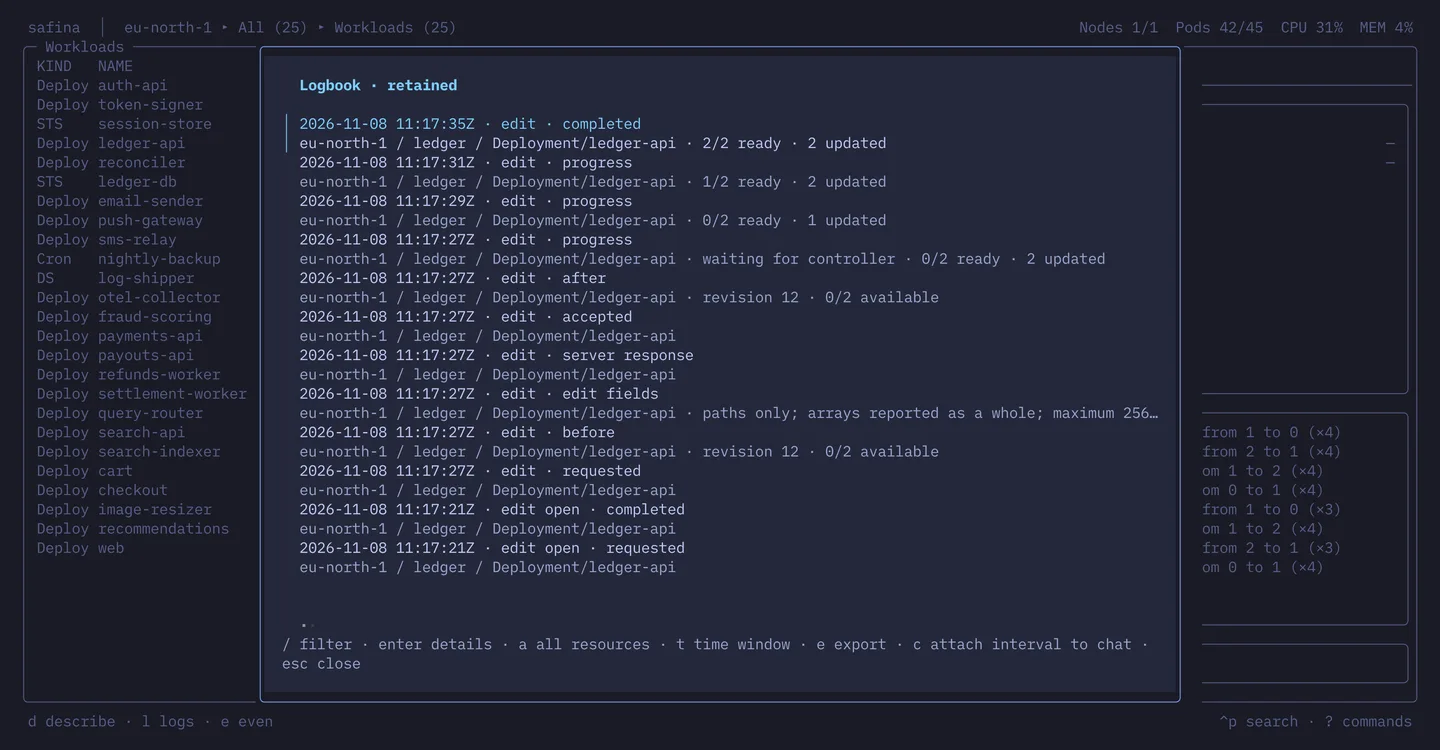
Logbook
Still there in the morning.
Kubernetes keeps events for an hour by default, and a replaced pod takes its logs with it. The Logbook keeps what you saw: the logs and events you read, and every write with the state before and after it.
Afterwards, export the night, from the bismillah before your first look to the alhamdulillah when the pods are ready, as a timeline with a postmortem template. That works without cluster access, which helps when the cluster was the problem. Every entry keeps its isnad, the chain it came through: which cluster, which session, when it happened and when you saw it.
It lives on your machine, readable only by you, with secrets redacted. It records what you did and saw in safina, so it isn’t an audit log of the cluster.

Also on board
- Shell anywheres
- A shell in any container. If the image doesn’t have one, safina asks before adding a debug container that does.
- Forward listCtrlF
- All your port-forwards in one list, so none of them keeps running in a terminal tab you forgot about.
- Quick switchCtrlK
- Switch clusters without quitting safina. It leaves kubectl’s current context alone, so your other terminals stay where you left them.
- Jump search:
- Type part of a name to jump to anything safina has loaded, or to a view like the Logbook.
- Copy over SSHy
- The selection, the YAML or the logs go to your own clipboard, even when safina runs on a box you SSHed into.
- Beacon
- If your terminal shows tab status, safina’s tab tells you when the model is answering or a write is waiting for your yes, so you can work in another tab.
Compare
Safina and k9s
Both read the same kubeconfig, so you can run them side by side.
| safina | k9s | |
|---|---|---|
| Write actions need Shift | Yes | No |
| Confirmation on every write | Yes | Some |
| Rollout status after scale, restart or edit | Yes | No |
| Cluster picker at launch | Yes | No |
| AI assistant | Yes | No |
| Incident timeline export | Yes | No |
| All resource types by default | Some | Yes |
| Read-only mode | No | Yes |
| Plugins and skins | No | Yes |
| Windows support | No | Yes |
| Package manager install | No | Yes |
k9s as of v0.51.0, June 2026.
FAQ
Fair questions
What does the model see?
Can the model change my cluster?
What does it leave on my machine?
~/.safina, and the Logbook keeps it as long as its config says:history:
actionDays: 90 # writes
evidenceDays: 14 # logs and events read
redactPatterns: # on top of the built-ins
- 'customer-[0-9]+'
enabled: true # false turns it offclaude CLI keeps chat conversations under ~/.claude, like its other sessions.What does it cost?
What does onboarding the team take?

Get safina
Binaries for macOS and Linux come with the first release, in sha Allah. Until then, build from source:
git clone https://github.com/YunusAndreasson/safina cd safinamake installYou’ll need Go 1.27 or newer, and access to the repo while it’s private.
- Runs on your machine. It reads the kubeconfig you already have, auth plugins included, and never writes to it.
- Nothing to install in the cluster. No in-cluster agent, operator or CRDs. Safina can only do what your RBAC lets you do.
- Chat is optional. It runs through the
claudeCLI you already have, so there’s no API key to set up.